Automated invoice processing: From manual invoice handling to AI – step by step
A supplier invoice is a relay baton. It has to pass through four pairs of hands before it is paid – and at every handover it can be dropped.
One person receives it, one codes it, one approves it and one pays it. Automated invoice processing runs the whole relay by itself: the invoice is read, coded, sent for approval and posted without anyone keying in the numbers. You only see the exceptions.
What is invoice processing?
Invoice processing is the process for incoming invoices – what accountants call accounts payable. It consists of four steps: receipt, coding, approval, and payment with posting.
It should not be confused with automated invoicing, which is about the invoices you send to your own customers. The terms invoice processing and invoice management are used interchangeably – the first for the process, the second mostly for the tool.
What is automated invoice processing?
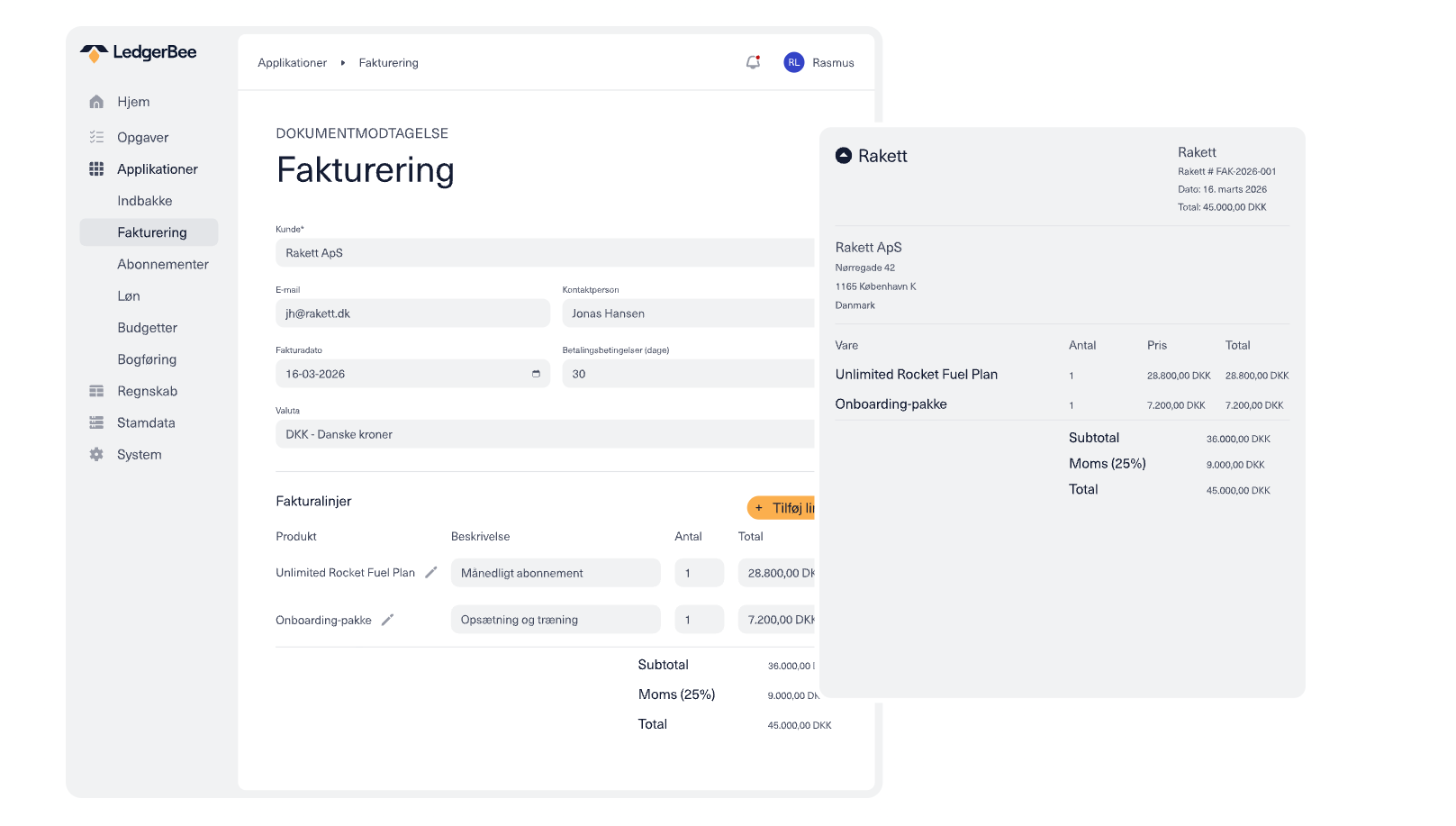
Automated invoice processing means that an invoice from a supplier no longer has to be opened, read, keyed in, passed around by email and finally paid in online banking. The software does it, and your bookkeeper or finance manager only sees what the system cannot decide for itself.
Two things make the topic relevant right now: the Danish Bookkeeping Act (bogføringsloven) requires digital bookkeeping, and AI reads invoices so accurately that manual data entry can no longer be justified.
Automated invoice management step by step
1. Receipt and data capture
The invoice arrives via NemHandel/Peppol, as an email attachment or as a photo from a phone. If it is a true e-invoice (OIOUBL or Peppol), all the data is already structured. If it is a PDF or an image, an AI model reads the amount, date, supplier, VAT and invoice number.
2. Validation and matching
The system checks whether the invoice already exists (duplicate check), whether the supplier is known, and – if you use purchase orders – whether the amounts and lines match the order.
3. Coding
Based on the history, the system suggests an account, dimension and VAT code. The first time a new supplier appears, you approve the suggestion. After that, the system remembers it.
4. Approval flow
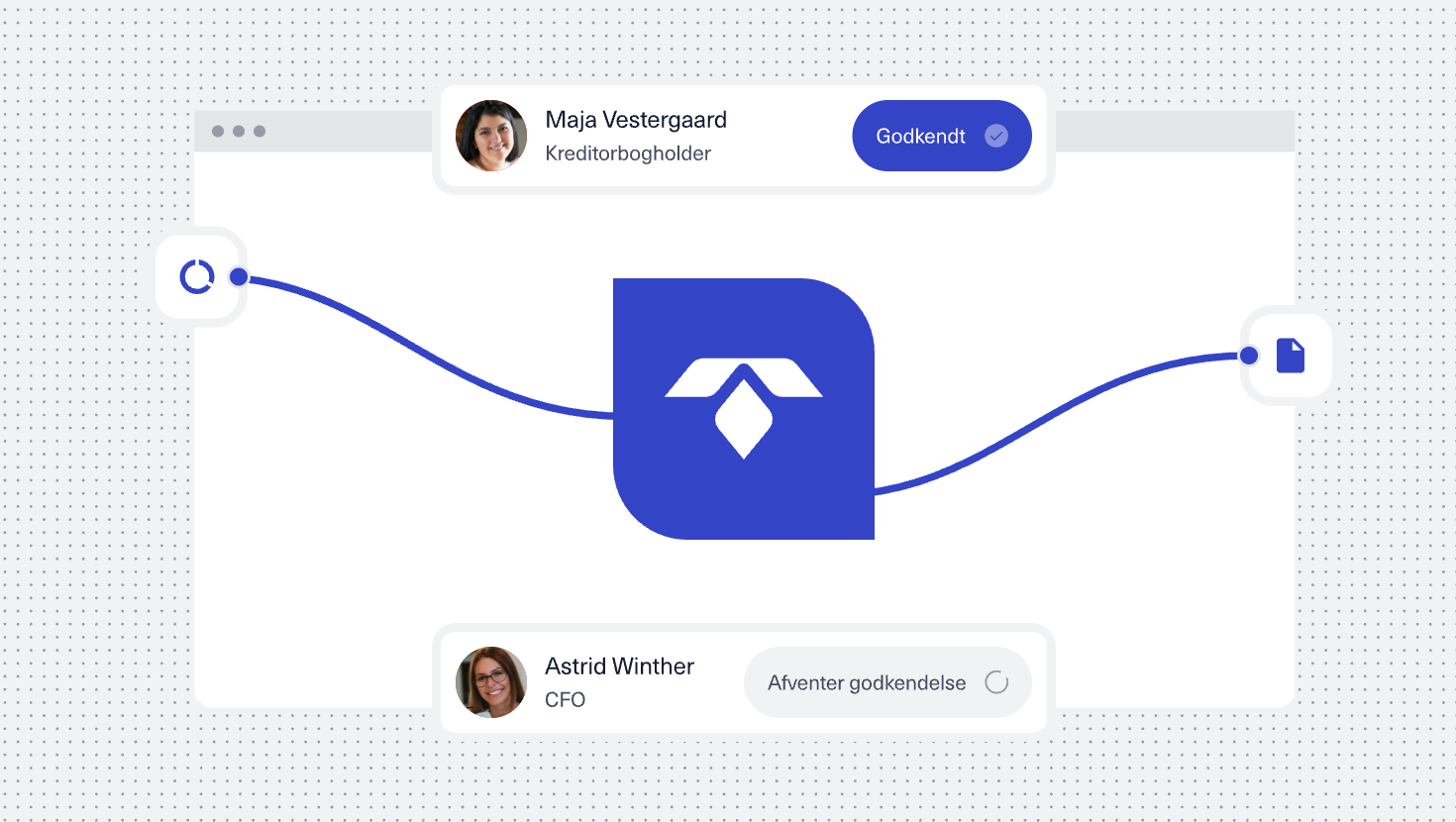
The invoice is sent automatically to the right person. In most systems this is based on rules you set up yourself: amount limit, department, cost centre or supplier. In systems with AI that understands the content of the invoice, it is based on what the expense is. Approval typically happens on a phone with a single tap – see how electronic invoice approval works in LedgerBee.
5. Payment and posting
Once the invoice is approved, it is paid on the due date, posted and reconciled against the bank transaction through automatic bank reconciliation. In a unified finance system, those three things happen at the same moment – there is nothing to export, import or reconcile afterwards.
Manual vs. automated
Manual — Automated
Receipt — Keyed in from PDF/email — Read from NemHandel, email and photo
Coding — From memory — Suggestions based on history, deviations flagged
Approval — Emails and reminders — Rules or AI, reminders and an approval log
Payment — Online banking, manual reconciliation — Sent from the system, reconciled automatically
Overview — When the month-end close is finished — Continuous: what do we owe, and when is it due
Documentation — Emails and folders — Voucher, approval and payment kept together on the invoice
If you want to know what your invoice processing costs today, measure it: number of invoices per month × minutes per invoice across the four steps × hourly wage. The calculator in What does manual invoice processing cost? works it out for you. Most teams are surprised by the approval step.
How the invoice is read
PDF or e-invoice?
This is where many people go wrong. According to the Danish Business Authority's (Erhvervsstyrelsen) guidance on the Bookkeeping Act, an e-invoice is an invoice that can be processed automatically and digitally – and image files, including PDFs, do not count as e-invoices.
That has a practical consequence: only e-invoices can be processed 100% automatically. PDFs and photos require data capture with AI, and even the best models send a small share to manual review. The more of your suppliers that send via NemHandel or Peppol, the higher your automation rate becomes.
OCR or AI?
PDFs and photos have to be read. OCR reads the characters and finds the fields using templates or rules per supplier. AI reads the whole document and understands what has been bought, so it can code each line and find the approver based on the content. What the difference means for accuracy and maintenance is covered in the guide to invoice scanning with OCR and AI.
Law and security
What does the law require?
The Danish Bookkeeping Act requires a digital bookkeeping system – since 1 January 2026 also for personally owned businesses and associations with revenue above DKK 300,000 two years in a row – and the system must be able to receive and send e-invoices via NemHandel (OIOUBL) and Peppol BIS (Danish Business Authority). OIOUBL is being phased out in favour of a Peppol-based format in 2028–2029, and the EU's ViDA reform makes e-invoices mandatory for cross-border B2B trade from 1 July 2030. What that means for you as a recipient, what the Danish Business Authority has proposed from 2027, and how you get suppliers to send e-invoices is covered in the guide to e-invoicing via NemHandel and Peppol.
In short: your system must be able to receive e-invoices today and handle Peppol tomorrow. If it cannot, automated invoice processing is not the first thing you should be looking at.
Invoice fraud
Manual invoice processing is not just expensive. It is where fraudsters get in. Danmarks Nationalbank, the Danish central bank, puts total fraud involving digital payments in Denmark at approx. DKK 627 million in 2023, of which DKK 333 million was through account transfers – and just under a fifth of transfer fraud hits businesses (Danmarks Nationalbank, 2024). At the same time, 6 out of 10 businesses believe they are well protected against fraud, according to a YouGov survey for Danske Bank. Finance Denmark (Finans Danmark) continuously tracks the development in precisely invoice fraud and CEO fraud.
The three types you need to know:
- Fake supplier invoices. An invoice that looks like a known supplier's, but with a new account number and a short payment deadline.
- CEO fraud. An email "from the CEO" about an urgent payment outside the normal process.
- Internal fraud. An employee who knows the process and knows where the controls are missing.
What they have in common is that they exploit the fact that approval and payment happen in different places – and often by the same person. Automated invoice processing closes those gaps without anyone having to remember to be suspicious:
- Duplicate check stops the same invoice from being paid twice.
- Supplier master data catches it when an account number suddenly differs from the one you usually pay to.
- Segregation of duties: the person who approves cannot be the person who pays – and no payment without approval in the system. This is controlled with user management and permissions.
- Approval log: who saw the invoice, who approved it, and when. Your auditor can follow the trail.
What can you save?
The figures vary with volume and complexity, but the direction is unambiguous.
- Cost per invoice. Ardent Partners' benchmark for 2025 puts the average at USD 9.40 per invoice against USD 2.78 at the best-automated companies. Rillion estimates that manual handling costs DKK 100–300 per invoice in Denmark when error correction and reminders are included, and that electronic handling can bring it below DKK 10. The gap to the international figure is because Ardent only measures the working time in accounts payable.
- Processing time. The same benchmark shows 9.2 days on average from receipt to approved invoice against 3.1 days at the best. Shorter time means fewer reminders and accounts that are up to date while the month is still running.
- Exceptions. On average, 14% of invoices require manual intervention, and only 32.6% go all the way through untouched. At the best, the figures are 9% and 49.2% (Ardent Partners 2025). Data entry errors, duplicate payments and incorrect coding do not disappear completely – they are reduced to what the exception flow catches.
Worked example. A company with 300 supplier invoices a month that spends 15 minutes per invoice on data entry, approval and payment spends 75 hours a month. If the time comes down to 3 minutes per invoice, the saving is 60 hours – more than a third of a full-time position.
What does a system cost?
The software price is the smallest part of the calculation. Among the add-on tools that publish prices, 50 supplier invoices a month typically cost DKK 370–900 – DKK 7–18 per invoice – and a set-up fee may come on top. The tools sit on top of your accounting software, which you pay for separately.
In LedgerBee, invoice processing is part of the finance system. There is no extra tool or separate accounting software to pay for.
Source: The providers' own pricing pages and price calculators, reviewed 22 September 2026. Prices excl. VAT.
Five key figures that show whether invoice processing is working
Measure them before you switch systems, and again three months after. Otherwise you will not know whether it worked.
Key figure — How it is measured — What it reveals
Processing time — Days from receipt to approved — Where invoices get stuck – typically with the approvers
Cost per invoice — Hours × hourly wage ÷ number of invoices — Whether automation pays off
Exception rate — Share of invoices that require manual intervention — The system's real automation rate
Paid on time — Share of invoices paid before the due date — Reminder fees, interest and supplier relationships
E-invoice share — Share received via NemHandel/Peppol — How much can go 100% automatically
For comparison: the average is 9.2 days of processing time and 14% exceptions; the best are at 3.1 days and 9% (Ardent Partners 2025).
How to choose a system
The systems in Denmark
The market splits in two. Add-on tools that receive, read and approve invoices and pass the result on to your accounting software. And finance systems with invoice processing built in, where there is nothing to pass on.
If you are happy with your accounting software, an add-on tool is the fastest way to get started. In return, you get two systems to maintain, an integration between them – and the reconciliation between the two is still your responsibility.
We have compared seven of them on reading, payment, e-invoicing and pricing model in the guide Invoice management system: 7 systems compared.
Six questions before you choose
- One system or two? Should invoice processing live in your finance system, or are you ready to maintain an integration?
- What is the real automation rate? Ask what share of invoices go through without manual intervention – and whether the figure applies to PDFs or only to e-invoices.
- Who builds the approval flow? Do you have to set up and maintain rules for every department and supplier yourself – or does the system understand what the invoice is about by itself?
- Are NemHandel and Peppol built in? Not as an add-on, not through a third party.
- How is it priced? Per user, per plan or per voucher? Per user penalises you for letting more people approve. Per plan penalises you when you are below the cap. Per voucher follows your actual volume.
- Does it read fields or understand content? And does it code per line? See the section on OCR and AI above.
Invoice processing in LedgerBee
LedgerBee is a finance system for SMEs – and for the accountants and bookkeepers who serve them – that want to bring all their finances together in one place. Invoice processing, payment and bookkeeping are part of the AI accounting software – not three add-ons that have to talk to each other.
The big difference lies in how the invoice is read. Hivey AI reads the whole document – line by line – and understands what the expense is: a hosting bill, a licence, a consultant. That is why it knows where each line should be coded and who should approve it – without you having set up a rule for every supplier and department. It learns from who approved last time and corrects itself.
Once the invoice is approved, it is paid on the due date, posted and reconciled against the bank automatically. No export, no integration to keep alive, no reconciliation between two systems at month-end – and the supplier debt is in the liquidity budget the moment the invoice is approved.
That is no coincidence. We believe payment is a basic function of a finance system – not an add-on from a third party. A system that can post an invoice but not pay it only does half the job. The same principle applies in the other direction: collection and reminders belong in the system as accounts receivable management, not next to it.
See automated invoice processing in LedgerBee →
Frequently asked questions
What is the difference between OCR and AI reading?
OCR recognises characters and puts them into fields – amount, date, CVR number (the Danish company registration number). AI reads the whole document and understands what the expense is, so coding and approver follow from the content instead of from rules you have set up yourself. AI can also code per line.
What is the difference between invoice processing and invoice management?
None in practice. Invoice processing is used for the process, invoice management mostly for the tool. Both cover supplier invoices from receipt to payment.
Do I have to switch finance systems to automate invoice processing?
No. Several solutions sit on top of your current accounting software. But you get two systems to maintain and a reconciliation between them. If you are considering switching anyway, it is worth choosing a system where invoice processing is built in.
What happens if the AI reads an invoice incorrectly?
The invoice lands in an exception flow, where a person corrects it. The correction is used to improve the next reading from the same supplier. No invoice is paid without approval.
Can credit notes be handled automatically?
Yes. A credit note is read in the same way as an invoice and offset against the supplier's balance. Most systems do, however, require you to approve the offset the first time.
What is the difference between NemHandel and Peppol?
NemHandel is the Danish infrastructure; Peppol is the shared European one. They are connected, so a Peppol invoice can be received via NemHandel. The OIOUBL format is Danish and is being replaced by a Peppol-based format in 2028–2029; OIOUBL is finally phased out in May 2029.
How long does it take to get started?
An add-on tool on top of your current system can typically be set up in days. Switching finance systems takes weeks and requires supplier master data and open items to be moved across.
What does it cost to process an invoice manually?
Danish estimates range between DKK 100 and 300 per invoice when time for data entry, approval, payment and error correction is included. International benchmarks, which only measure the working time in accounts payable, are around USD 9–13. Work out your own figure with the manual invoice processing calculator.
Can the system also pay the invoices?
Not always. Many solutions stop at approval and leave the payment to online banking or a third party. Ask specifically whether the payment happens in the system, and whether it is posted and reconciled automatically afterwards – otherwise you still have a manual step left.
Want to see how it works in practice? Book a demo